
2 years
−62%+6 months free
190 ₽per month
5 700 ₽ in total
Buy for 5 700 ₽Updated
On a network that blocks or slows Telegram, chats sit on “Connecting…” and channel videos never finish loading. With Bebra VPN on, your whole device, Telegram included, goes online through the country you pick.
A VPN covers the device it runs on, nothing else. If you use Telegram on your phone and in Telegram Desktop, each of them needs Bebra VPN. There are apps for iPhone and iPad, Android, Windows, macOS and Linux. Every file and store link is on the download page.
You don’t create an account first. The app sets one up for the device on first launch. Until you have a subscription, a tap on a country tile opens the Buy Bebra VPN sheet, and the trial can be started from there. Paid on the website already? Choose Already have a subscription? → Sign in to account in that sheet. After that, a tap on a country connects you. Close Telegram and open it again afterwards so it picks up the new route.
One way to reach us is on Telegram, which doesn’t help much when Telegram is the thing that’s broken. So the Support tile on the main screen opens a chat inside the app. Someone answers at any hour.
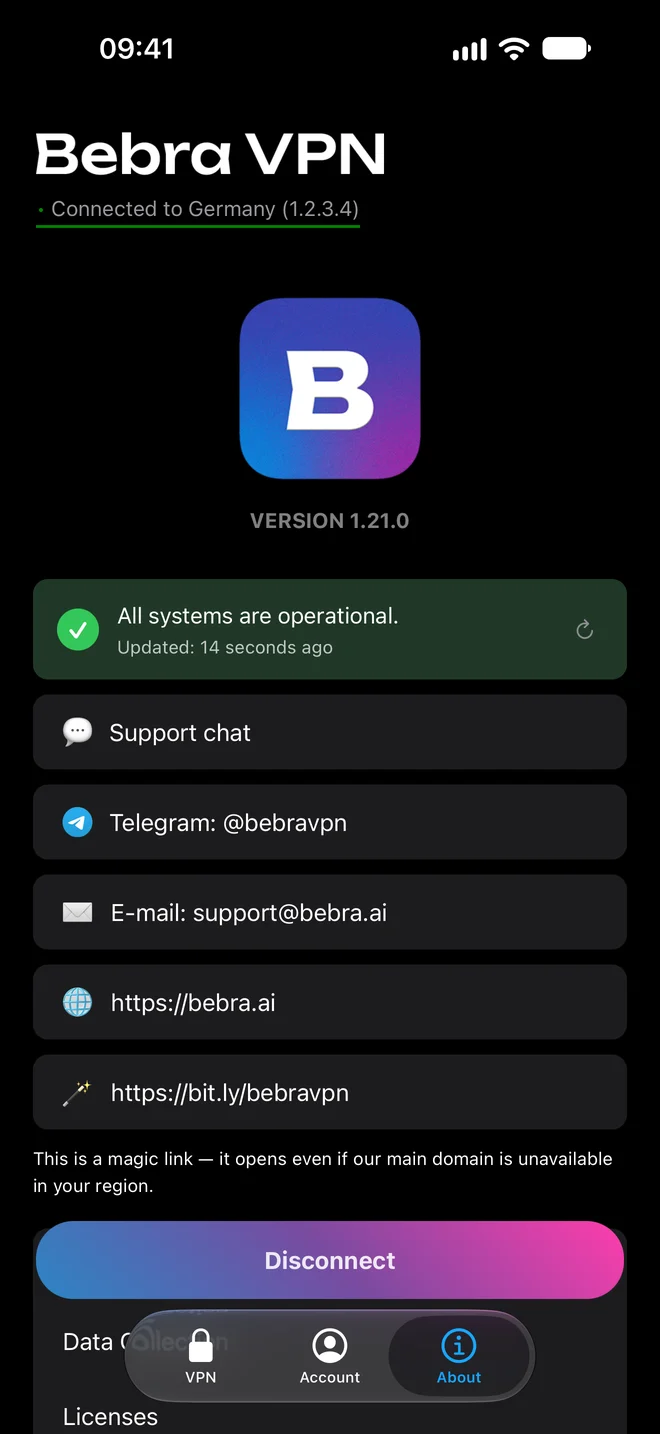
The About tab lists the same chat, our Telegram and [email protected], with a status line above them. If it says “All systems are operational” and Telegram still won’t load through the VPN, send us a message and mention the country you’re connected to.
The trial opens every country and is available once. Spend the three days doing what you actually do in Telegram: scroll a busy channel, send yourself a large file, make a call.
3 days of full access, then 500 ₽ per month. The subscription renews automatically. How the trial works
The same subscription covers your phone, your computer and any other device you sign in on.
+6 months free
190 ₽per month
5 700 ₽ in total
Buy for 5 700 ₽350 ₽per month
4 200 ₽ in total
Buy for 4 200 ₽500 ₽per month
Billed every month
Buy for 500 ₽Yes, the sign-in screen has Sign in with Telegram. If the app replies that this Telegram isn’t linked to an account, open our Telegram bot, sign in there with your e-mail and try again. You can also tap Log in to the app in the bot, and it sends a one-time code. It stays valid for 3 minutes, and you type it into the app under Sign in with code.
On the phone, open Account → Sign in on another device to get a code. On the computer, open Account → Sign out, choose Sign in with code and type the digits. The subscription is the same on both.
Yes, our Telegram bot sells subscriptions. If Telegram won’t open for you yet, pay on the website instead.