Basics
What Is a VPN and How Does It Work? A Plain-English Guide

Contents
A VPN is an encrypted connection between your device and a server, and all of your phone’s or computer’s internet traffic goes through it. Websites see the server’s address instead of yours, while your internet provider and the Wi-Fi owner only see that your device is exchanging data with one server. The easiest way to see what that changes, and where the protection stops, is to follow a single request.
What a VPN is, without the jargon
VPN stands for virtual private network. The network here has just two points: your device and a server run by the VPN provider. Encryption is what makes it private. Nobody in between can read what passes from one point to the other.
It’s called virtual because physically it’s the same internet you already use at home or in a café. The app encrypts what your device sends and delivers it to a single address, and the server then goes out to the internet on your behalf.
Following one request
Say you’re in a café and open a weather site on your phone.
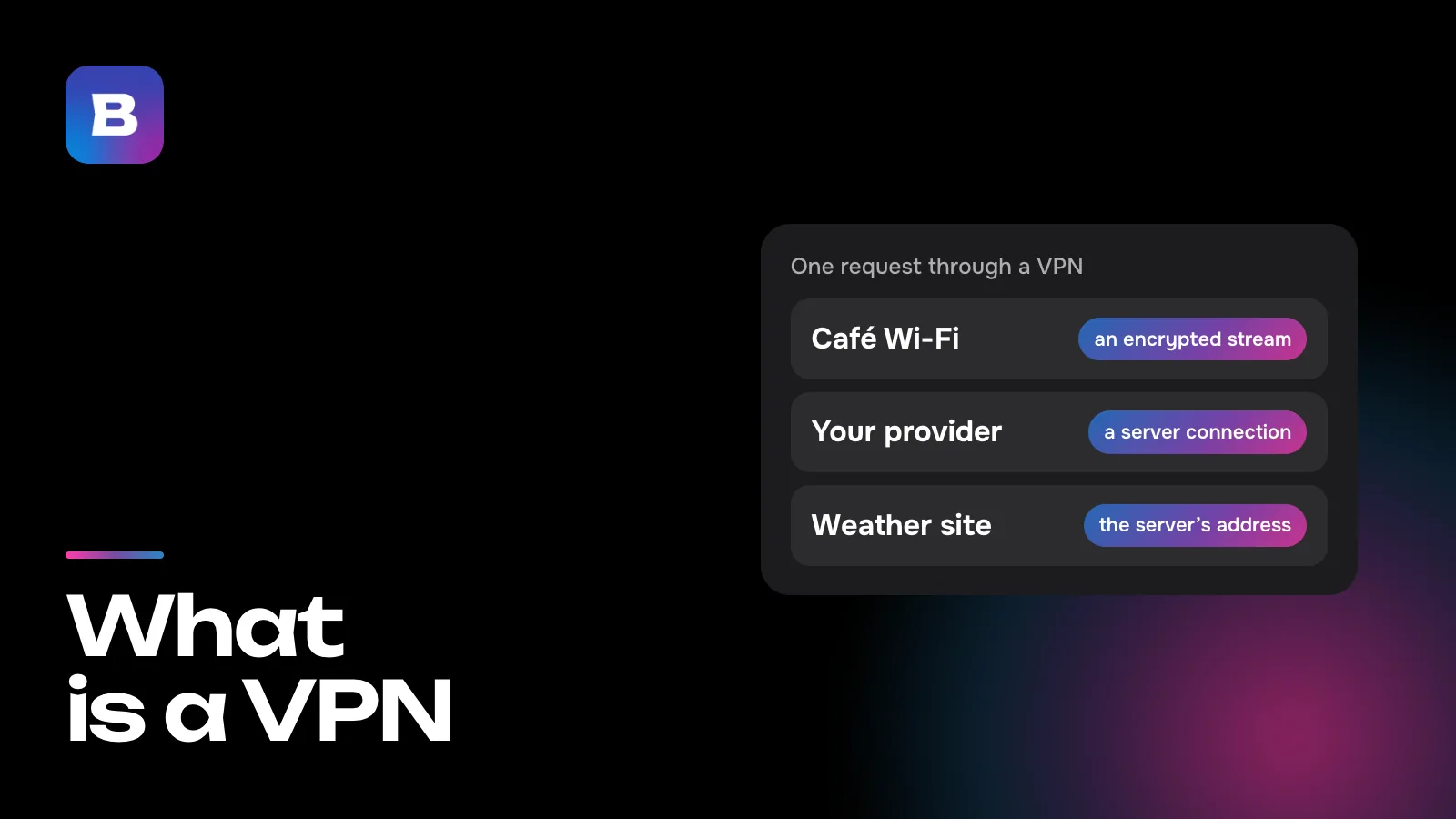
Without a VPN, the request travels through the café’s Wi-Fi into your provider’s network and on to the site. Everyone whose equipment it passes through can see where it’s headed. The Wi-Fi owner and your provider know which site you opened and when, and on pages without HTTPS they can see the content too. The weather site gets your real IP address, and with it the name of your provider and the city you’re in.
With a VPN, the same request goes to the app first. The app wraps it in an encrypted package addressed to the VPN provider’s server rather than to the weather site. The café’s Wi-Fi and your provider pass the package along but can’t open it, since only your phone and the server have the key. The server unpacks the request, fetches the page itself and sends it back to you the same way. This covers all of the device’s traffic, not just the browser. Messengers, games and other apps use the same channel, and none of them needs its own setup.
To the Wi-Fi owner and your provider, the whole evening now looks like one encrypted stream between your phone and a single server. They can see when it ran and how big it was, but not the sites inside it. The weather site sees the server’s address and assumes the visitor is wherever the server is.
That leaves the VPN provider. It now sits where your internet provider used to. It knows your address and which sites your requests go to, although the content of HTTPS pages stays encrypted even for the VPN. So a VPN doesn’t remove the middleman, it swaps one for another, and choosing a VPN deserves the same care as choosing a bank or an email provider.
What people use a VPN for
Opening a site or app that doesn’t work on your network
Access to individual sites can be cut off by an internet provider, an office or campus network admin, or a mobile carrier. Sometimes a site isn’t blocked but slowed down until its videos won’t load. Through a VPN, the request to that site travels inside the encrypted channel, and the filter can’t tell it apart from the rest of your traffic. Getting around blocks like these is the most common reason people install a VPN.
Using your usual services while traveling
Some streaming services and online stores only work for visitors from certain countries. If you’re abroad, connect to a server in the country you need, and the service will see an address from there.
Keeping your IP address to yourself
A site doesn’t need to know which provider you use or which part of town you live in, and your IP address gives away both. With a VPN, the site and the analytics scripts built into it get the server’s address instead.
Where the protection ends
A VPN protects the stretch between your device and the server. It doesn’t change what happens on the device itself or on the site you visit.
- Your device. If an app on your phone collects more data than it should, it keeps doing so with a VPN on. A VPN doesn’t scan the files you download either. That’s what system updates and antivirus software are for.
- The site and your account. Whatever you’ve told a site yourself stays with it, whether that’s your login, phone number or delivery address. Cookies and browser settings stay put too, and they let a site recognize you even from a different IP address. A VPN doesn’t make you anonymous.
- Service rules. Some services are wary of sign-ins through a VPN and may ask you to confirm it’s you or turn off some features.
How a VPN affects speed
With a VPN, every request takes a detour through the server. If that server is on the other side of the world, replies arrive later than they would from a neighboring country. You rarely notice this on web pages or video, but for calls and online games it’s worth picking a country close to you.
It can also work the other way. If your provider deliberately slows down a particular site, that site usually loads normally through a VPN, because the provider can’t see where the traffic is going. Otherwise a VPN won’t speed up your internet. It can’t be faster than the connection you already have.
Why some VPNs get blocked and others don’t
A protocol is the way an app and a server agree on encryption and exchange data. Classic VPN protocols have a recognizable traffic pattern, so networks that filter traffic spot them and shut them down first. Newer protocols make the connection look like the ordinary encrypted traffic of websites, which is much harder to single out.
Bebra uses VLESS + REALITY, XHTTP, Hysteria2 and Shadowsocks. You never have to pick one by hand. The app chooses the protocol and route for you and switches to another route by itself if one stops working. There’s more about them on the technology page.
How to choose a VPN
There are countless VPN services, and their ads all sound alike. A few practical questions tell them apart better.
- Does it have apps for every device you own, from your phone and computer to your TV and, if you need it, your router?
- How many devices can share one subscription?
- Are there servers in the countries you need?
- How does it handle blocking? How many protocols does it offer, and does it switch on its own when one stops working?
- Where can you reach support, and how fast do they reply?
- Can you try it cheaply before paying for a whole year?
A word on free VPNs. Servers and bandwidth cost money, so every free service has some way of paying for them. Before you install one, read how it makes money and what it says about its users’ data.
How to turn on a VPN, using Bebra as an example
Getting a VPN running takes an app and a choice of country.
Download the app
Bebra is available for iPhone and iPad, Android, Windows, Mac, Linux, Android TV and Apple TV. Every version is on the downloads page.
Open it
There’s nothing to sign up for. The app creates an account for this device on its own. To use your subscription on your other devices too, sign in with Apple, Google, email, Telegram or a one-time code.
Tap a country tile
The connection starts right away, and there’s no separate “Connect” button. Not sure which country to pick? Tap “Fastest”. To switch the VPN off, tap “Disconnect” at the bottom of the screen.
Check that it works
A line at the top reads “Connected to” followed by the country you picked. Websites now see the address of a server in that country, not yours.
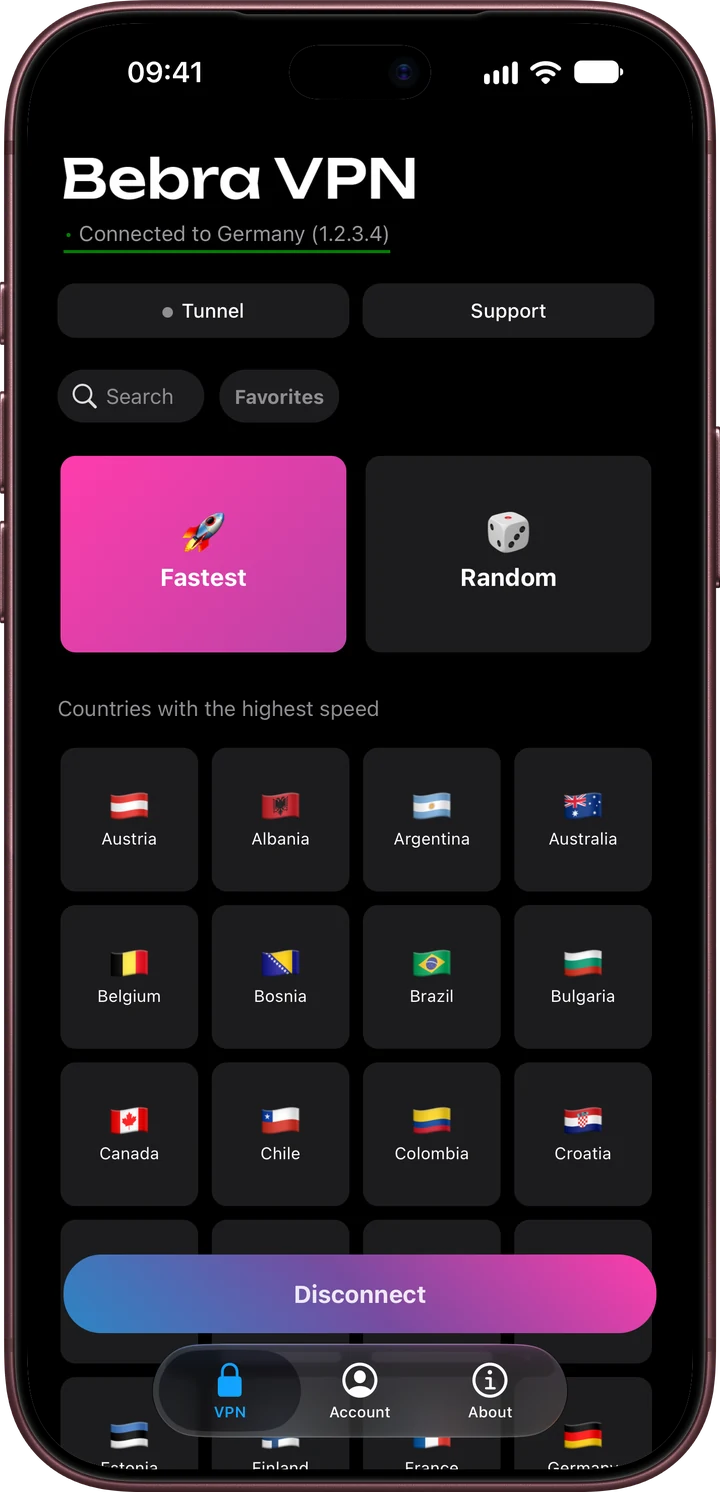
Every plan includes all 187 countries, and there’s no limit on the number of devices. To try Bebra on your own devices, start with the trial for 10 ₽. 3 days of full access, then 500 ₽ per month. The subscription renews automatically.
Questions and answers
Is a VPN the same as a proxy?
No. A proxy is usually set up for one browser or app and doesn’t always encrypt anything. A VPN sends all of the device’s traffic through a protected channel, so you don’t have to configure each program separately.
Do I need a VPN if a site already uses HTTPS?
HTTPS encrypts the content of the page, but your provider still knows which site you went to, and the site still knows your IP address. A VPN hides your sites from the provider and shows the site the server’s address instead.
Does a VPN make me anonymous?
No. It changes the IP address websites see and protects the connection, but it doesn’t erase what your accounts and your browser already reveal about you.
Does a VPN work on mobile data?
Yes. A VPN works on top of any connection, whether that’s home Wi-Fi, mobile data or a hotel network.
How many devices can I use Bebra on?
As many as you like. One subscription covers all your devices, with no limit on how many.