How-tos
Why YouTube Won’t Play With Your VPN On and How to Fix It
Contents
When YouTube isn’t working with a VPN, the tunnel itself is rarely to blame. The player spins forever, YouTube wants you to sign in, or it flat out asks you to turn the VPN off, and each of those has its own cause. Most of the time you’ll find it in a couple of minutes once you know which device and which app to look at.
Three questions before you touch any settings
- Do other sites load? If nothing loads with Bebra on, not just YouTube, you’re dealing with a connection problem. Our guide for when a VPN won’t connect covers that.
- Is it one video or all of them? When a single video or channel refuses to play, it’s almost always about the rights to that video, not about your network.
- Where does it fail? A desktop browser, the YouTube app on a phone and a TV break in different ways, and each needs different checks.
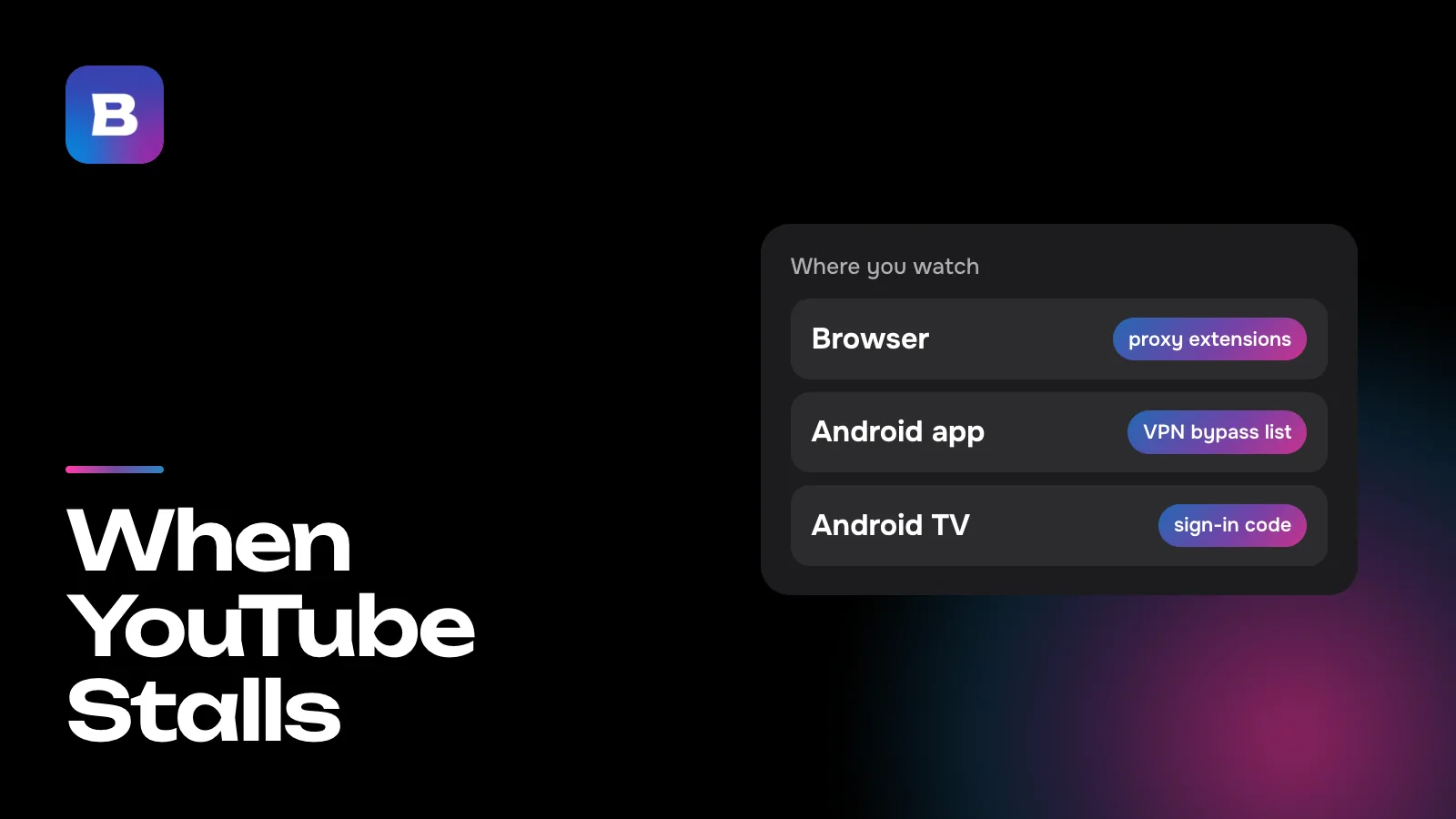
Where you watch and what to check
| Device | In Bebra | Outside Bebra |
|---|---|---|
| Browser on a computer | The “Tunnel” mode and any “Manual” entries | Proxy extensions, ad blockers, site data, QUIC |
| YouTube app on Android | The list of apps that bypass the VPN | An update for the YouTube app itself |
| YouTube app on iPhone | The “Connected to” line at the top of the screen | VPN profiles from other apps in iOS settings |
| Android TV | Sign-in with the code your TV shows | A TV running Android TV 10 or later |
| Samsung and LG TVs | There’s no Bebra app for them | A router that covers your whole home |
When YouTube itself says no
The “not a bot” check
VPN servers sit in data centers, and plenty of people watch YouTube from the same address. To YouTube that traffic can look automated, so it stops the player and shows “Sign in to confirm you’re not a bot”. The check runs on Google’s side and no VPN app can switch it off, but one of these usually gets you past it.
- Sign in to your Google account in the browser or app you’re watching in.
- Pause your ad blocker and any privacy extensions on youtube.com. Extensions like these are a common reason the check shows up in the first place.
- Tap the tile of a neighboring country. Its server has a different address.
If the check follows you to every country, go to Account → Settings. The “Regenerate Servers” block there has a “Replace Servers” button that gives every location new IP addresses at once. Still stuck? Tell support which countries you’ve tried.
Videos cleared for some countries only
Channel owners choose where a video can be watched, usually because of licensing. Since late May 2026, YouTube has been stricter about such videos when a VPN is on. Some sports broadcasts and TV premieres won’t start and ask you to turn off your VPN or proxy instead (Kommersant, May 28, 2026). This affects viewers in many countries.
You can try the country the channel most likely broadcasts to, but there’s no guarantee. And a video taken down after a copyright claim or for breaking YouTube’s rules is gone everywhere. No VPN brings it back.
In a browser on your computer
Work through these from the top and reload the tab after each one.
Clear the youtube.com data
In your browser settings, find youtube.com in the list of sites, delete its cookies and cache, then sign in again. Old site data can hold on to a session from a different address.
Turn off extensions
Proxies, ad blockers and “YouTube enhancers” all tinker with the player. Switch them all off, then turn them back on one at a time until the problem returns.
Try an incognito window
Chrome doesn’t run extensions there by default and starts without your old cookies. If the video plays there, the problem lives in your browser profile.
Try another browser
If Firefox or Edge plays the video and your usual browser doesn’t, it’s the usual browser’s settings that need a look.
Leave QUIC for last
QUIC is Google’s transport over UDP. When a network blocks UDP outright, Chrome quietly falls back to regular TCP, so trouble only shows up on networks that let UDP through with heavy losses. In that case, open Chrome’s experimental settings, find “Experimental QUIC protocol” and set it to Disabled. Some Chrome builds don’t have this setting anymore.
The YouTube app on your phone
YouTube serves its pages, thumbnails and comments from youtube.com and ytimg.com, while the video stream comes from googlevideo.com servers. That’s why you can sometimes scroll the feed but get a black player. It happens when traffic to googlevideo.com skips the tunnel.
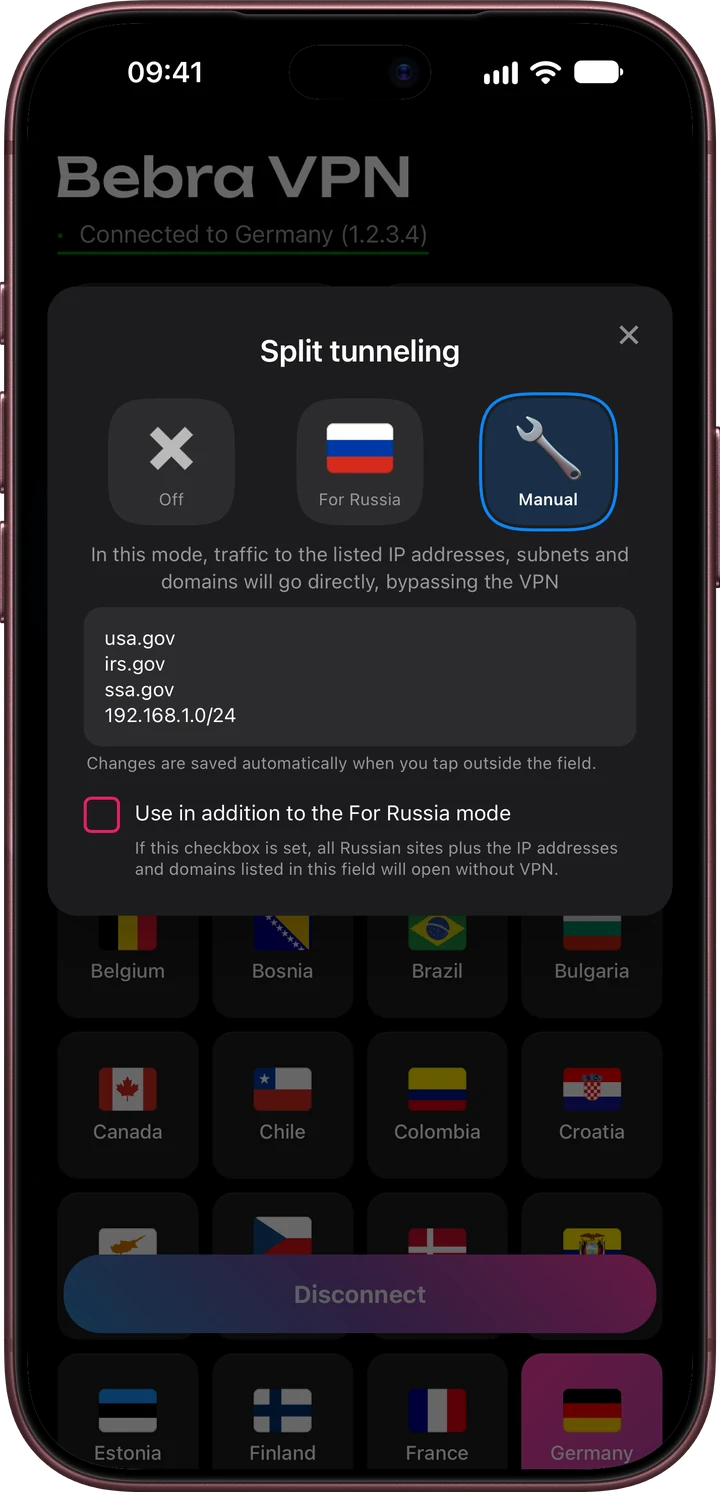
In Bebra, the “Tunnel” button at the top of the home screen decides what goes where.
- “Off”. The tunnel carries all your traffic, and YouTube with it.
- “Manual”. Anything listed here bypasses the VPN. If youtube.com, googlevideo.com, google.com or Google’s address ranges are on it, remove them.
- “Apps that bypass the VPN”. On Android, make sure neither the YouTube app nor your browser is on this list.
On iPhone, VPN profiles from other apps are under Settings → General → VPN & Device Management. iOS runs one VPN at a time, so another app’s profile can take over the connection.
On your TV
Bebra’s Android TV app installs from an APK file. The TV shows a code, and you approve the sign-in on your phone under Account → Sign in on another device → Sign in on TV. A guest account needs an email first, which you add with “Link e-mail”. The Android TV page walks through the setup.
There’s no app for Samsung or LG TVs. They go online through your router, and Bebra’s router app (Keenetic, OpenWrt, MikroTik) can send your whole home network or selected devices through the VPN.
If videos stutter
Every request takes a detour through the server before it reaches YouTube, so a faraway country adds delay before a video starts. Our piece on ping explains how distance adds up. Pick a country close to you or let the “Fastest” tile decide.
Connection keeps dropping? Open Account → Settings and tap “Find working server”. The search takes up to two minutes while the app re-tests the server and, if needed, gets new IP addresses. A VPN can’t make a slow home connection faster, though. If other video sites stutter without Bebra too, the bottleneck is your internet line.
Where YouTube is blocked
In some countries YouTube isn’t available at all, or it gets switched off for a while. There you’ll need a VPN to watch at all, and everything above still applies. Your provider sees an encrypted connection to a server, not YouTube. The app picks the protocol itself from VLESS + REALITY, XHTTP, Hysteria2 and Shadowsocks, so there’s nothing to switch by hand. If you’re curious what happens inside the tunnel, read how a VPN works. Setup for each device is on our YouTube page.
What a VPN won’t fix
- A YouTube outage. Check a status site such as Downdetector. If thousands of people report problems at the same time, wait it out.
- Removed videos. A video deleted for a copyright claim or a rules violation doesn’t exist in any country.
- YouTube Premium pricing. Premium’s price depends on your country, and if you stay outside the country where you subscribed for more than six months, YouTube pauses the subscription. In 2024 it canceled subscriptions bought at another country’s price through a VPN, so it’s not worth signing up that way.
If none of this helps, Bebra support is there around the clock. The “Support” button on the home screen opens a chat, and you can also reach us on Telegram at @bebravpn or at [email protected]. Send the video link, your device and the countries you’ve tried.
Don’t have Bebra yet? Start with the trial for 10 ₽. 3 days of full access.
Questions and answers
Why does YouTube make me sign in when I use a VPN?
Lots of people share each VPN server’s address, so YouTube checks that a real person is watching. Sign in to your Google account, pause your ad blocker on youtube.com or switch to a neighboring country.
Why is the YouTube player black when my VPN is on?
The video stream comes from googlevideo.com, and traffic to it is probably skipping the tunnel. Check the “Manual” list under “Tunnel” and, on Android, the “Apps that bypass the VPN” list. In a browser, turn off proxy extensions.
Will a VPN let me watch a video that isn’t available in my country?
Sometimes, if the owner allows it in the country you pick. Since May 2026 YouTube has checked such videos more strictly when a VPN is on, so there’s no guarantee. A removed video won’t come back in any country.
Does YouTube Premium work differently with a VPN?
Premium’s price and availability depend on your country. If you stay outside the country you subscribed in for more than six months, YouTube pauses the subscription, and buying it at another country’s price through a VPN can get it canceled.
Do I need a special VPN protocol for YouTube?
No. Some networks block protocols that are easy to recognize, such as OpenVPN and WireGuard. Bebra’s app picks whichever of VLESS + REALITY, XHTTP, Hysteria2 and Shadowsocks gets through on your network.